Alignment Tool Tab
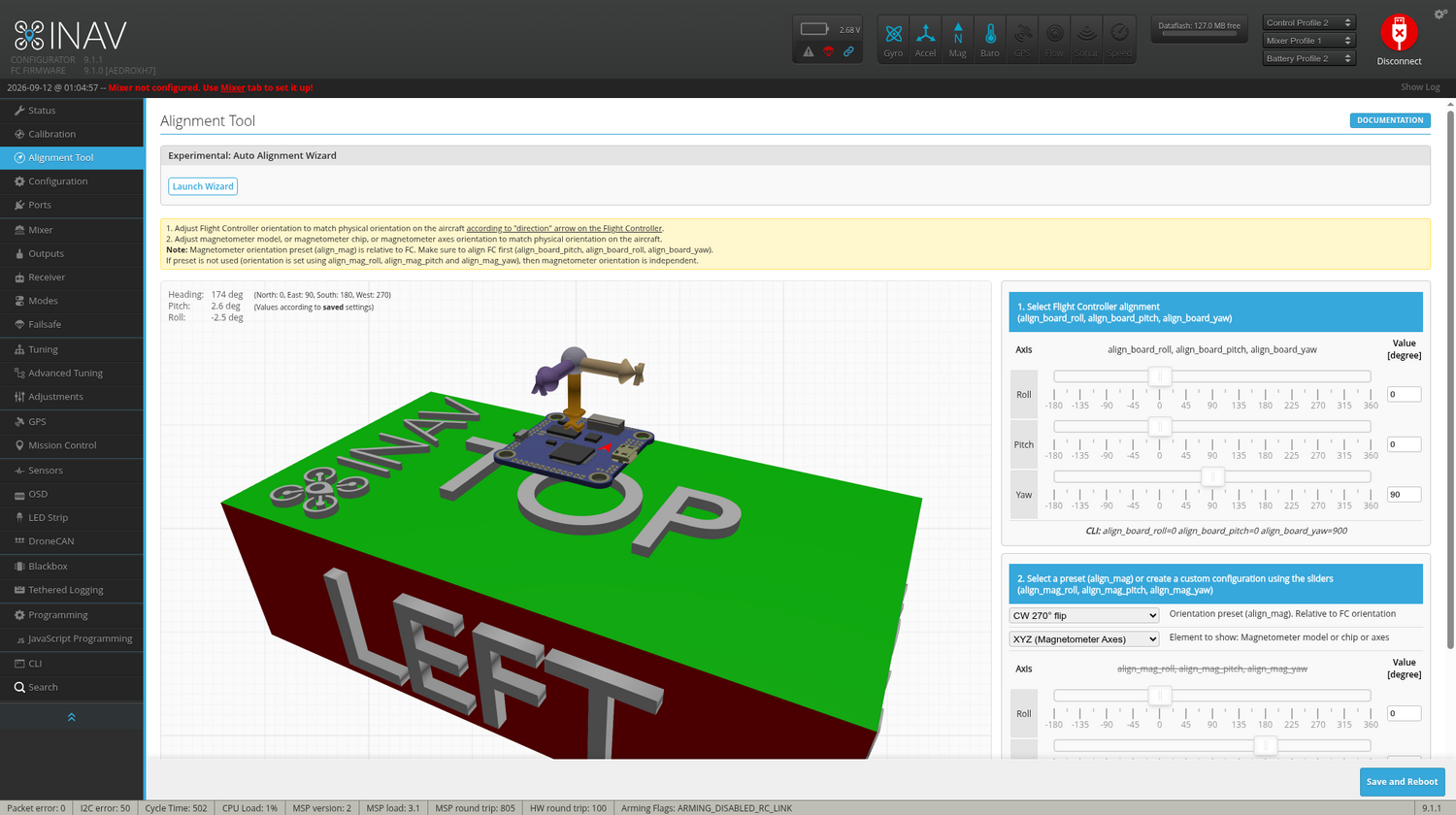
This tab lets you set the mounting orientation of your flight controller and, if fitted, your compass. Getting this right is critical: INAV uses these settings to translate raw sensor readings into the aircraft's real-world attitude and heading.
You may have mounted the FC upside-down, backwards, or at an angle, and this is where you tell INAV about it. Once set correctly, going to the Status Tab and moving the aircraft by hand should show the 3D model move the same way, on every axis.
Which Path Applies to Your Board?
INAV also ships an Experimental: Auto Alignment Wizard on this tab that determines both the board's and, if fitted, the compass's mounting orientation automatically — from a few accelerometer and compass readings — rather than you working them out and entering them by hand. The wizard runs the same way on every board; the only thing that changes is whether a compass is fitted:
- No magnetometer: board alignment only — there's no compass step to do.
- With a magnetometer: board alignment, then one more step (face east) to determine the compass's mounting orientation too.
Order matters. The wizard's compass step needs a compass that's already calibrated (offsets and gains) — calibrate the compass on the Calibration Tab first, then run this wizard. Calibration itself doesn't depend on board alignment being set yet, so it's fine to calibrate before the wizard sets that.
Boards with plenty of spare RAM (F745/H7-class and similar) can also have INAV detect the compass's mounting orientation automatically, as part of the Calibration tab's own magnetometer-calibration spin — see Automatic Compass Orientation Detection. That's an alternative to this wizard's east-facing step, not a requirement — the wizard works the same way regardless of your board's RAM class.
Using the Wizard
Click Launch Wizard to begin. The steps are the same up through board alignment regardless of which path your board takes:
-
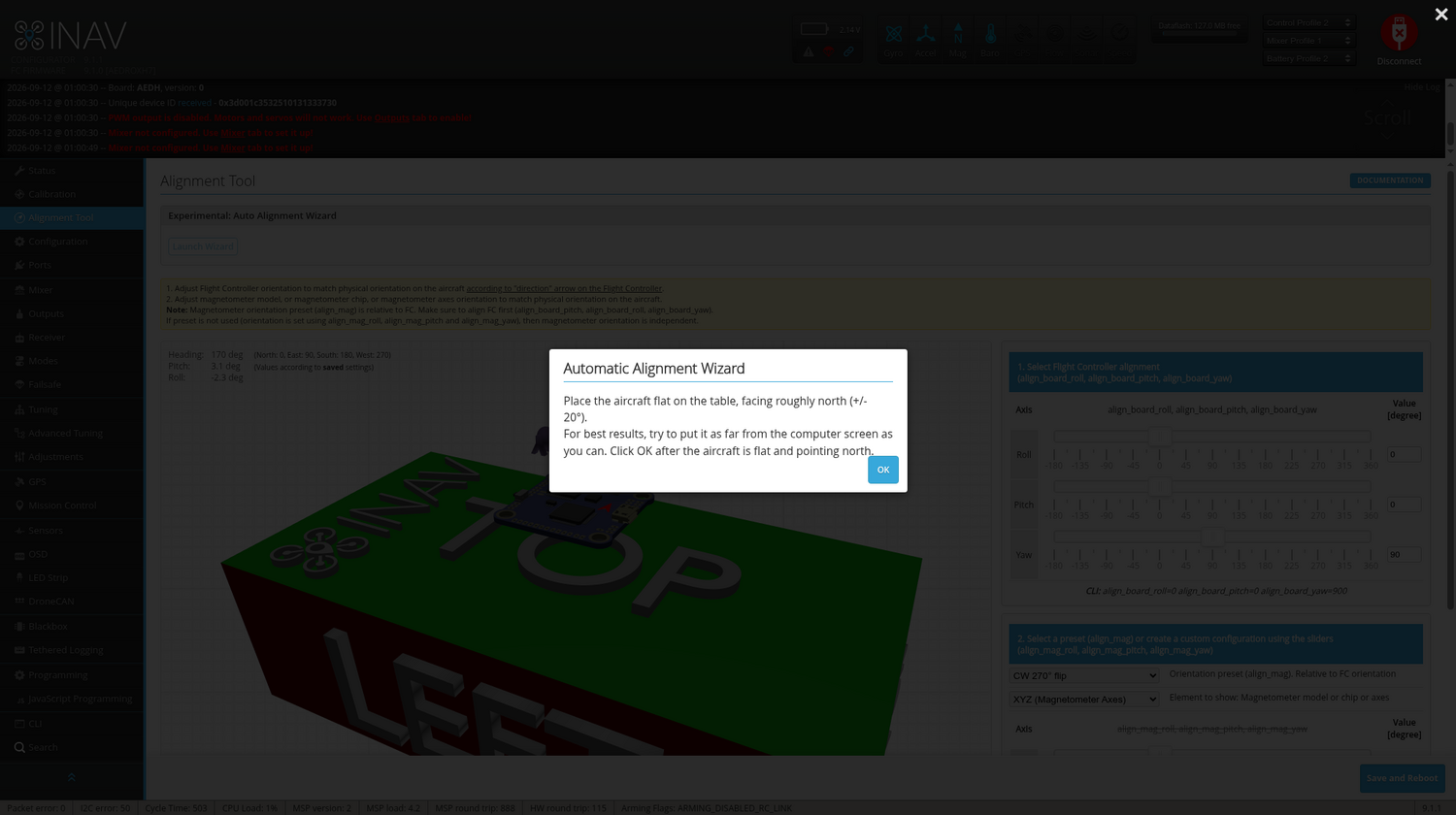
Start: place the aircraft flat and pointing north, then confirm.
-
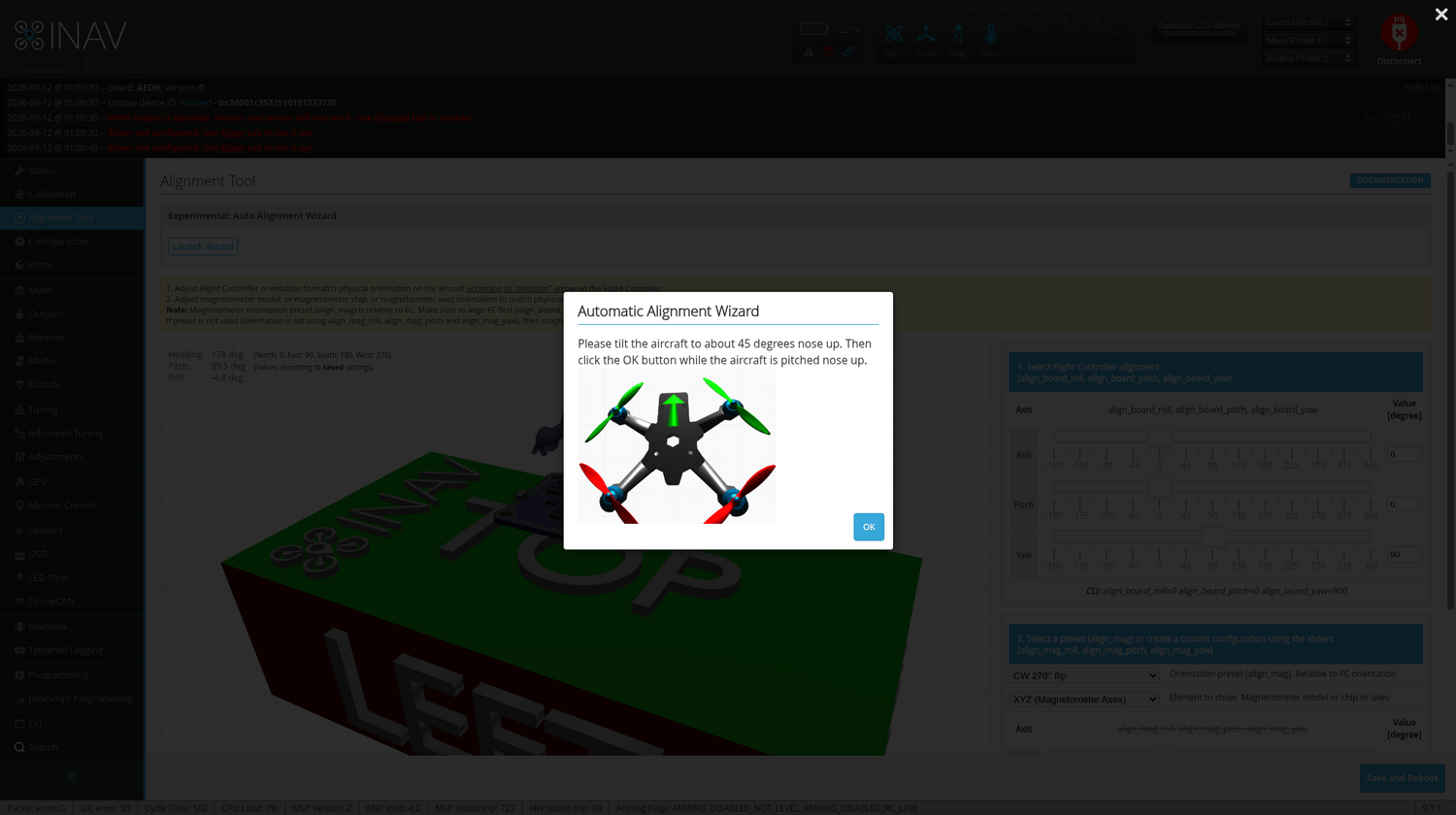
Nose up ~45°: tilt the nose up by about 45 degrees from the first position, keeping the aircraft otherwise still, then confirm. INAV uses the two readings together to work out which of the 16 standard mounts (upright or inverted, in 45° yaw steps) your board is in.
From here, the wizard finishes right away if no magnetometer is fitted, or continues with one more step if one is.
No magnetometer
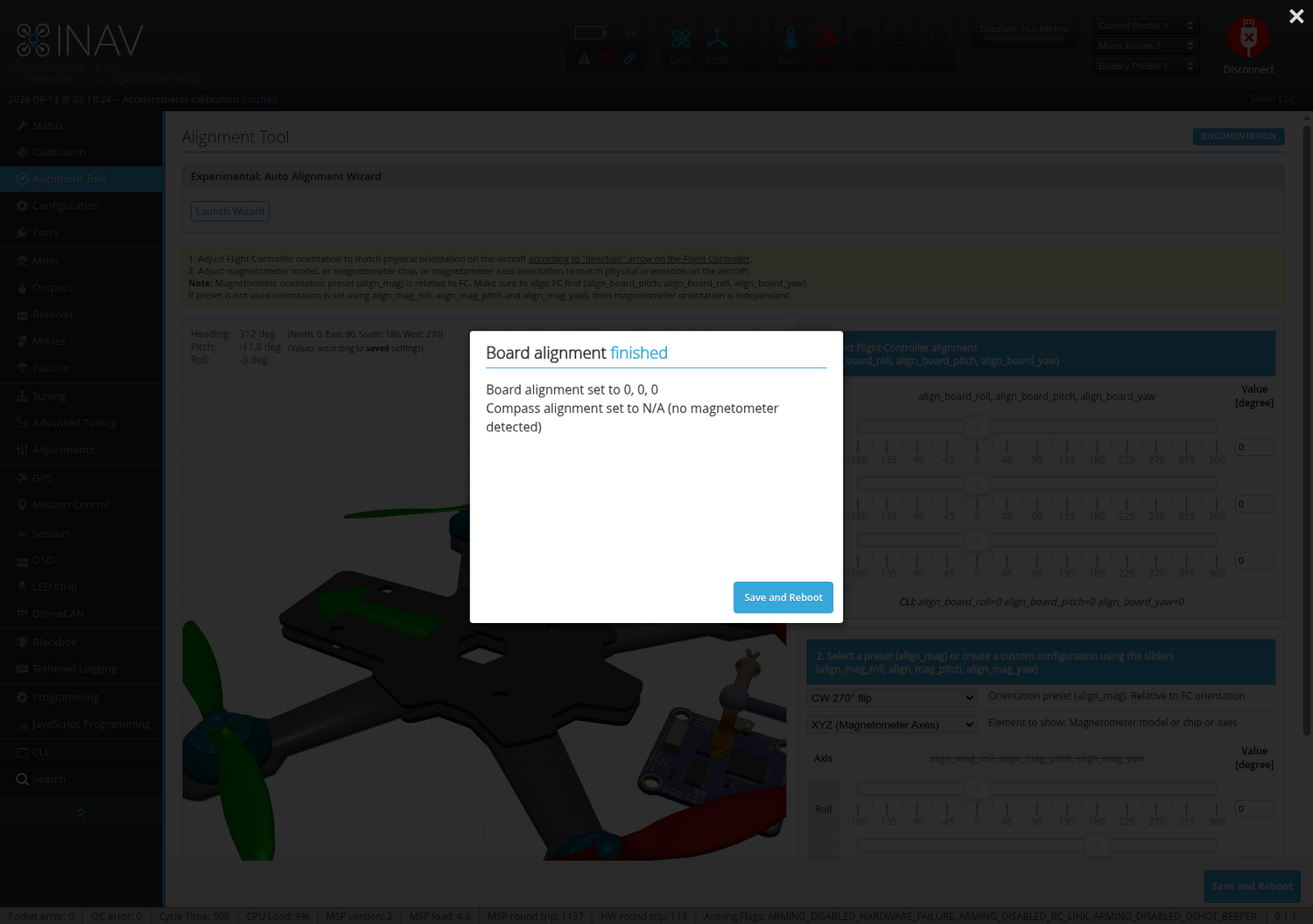
The wizard finishes right after the nose-up step — there's no third step, and nothing to calibrate or align beyond the board itself. Click Save to save the board alignment and reboot.
With a magnetometer
The wizard continues with one more step before finishing:
-
Face east: turn the aircraft (keeping it flat) so the nose points east, then confirm.
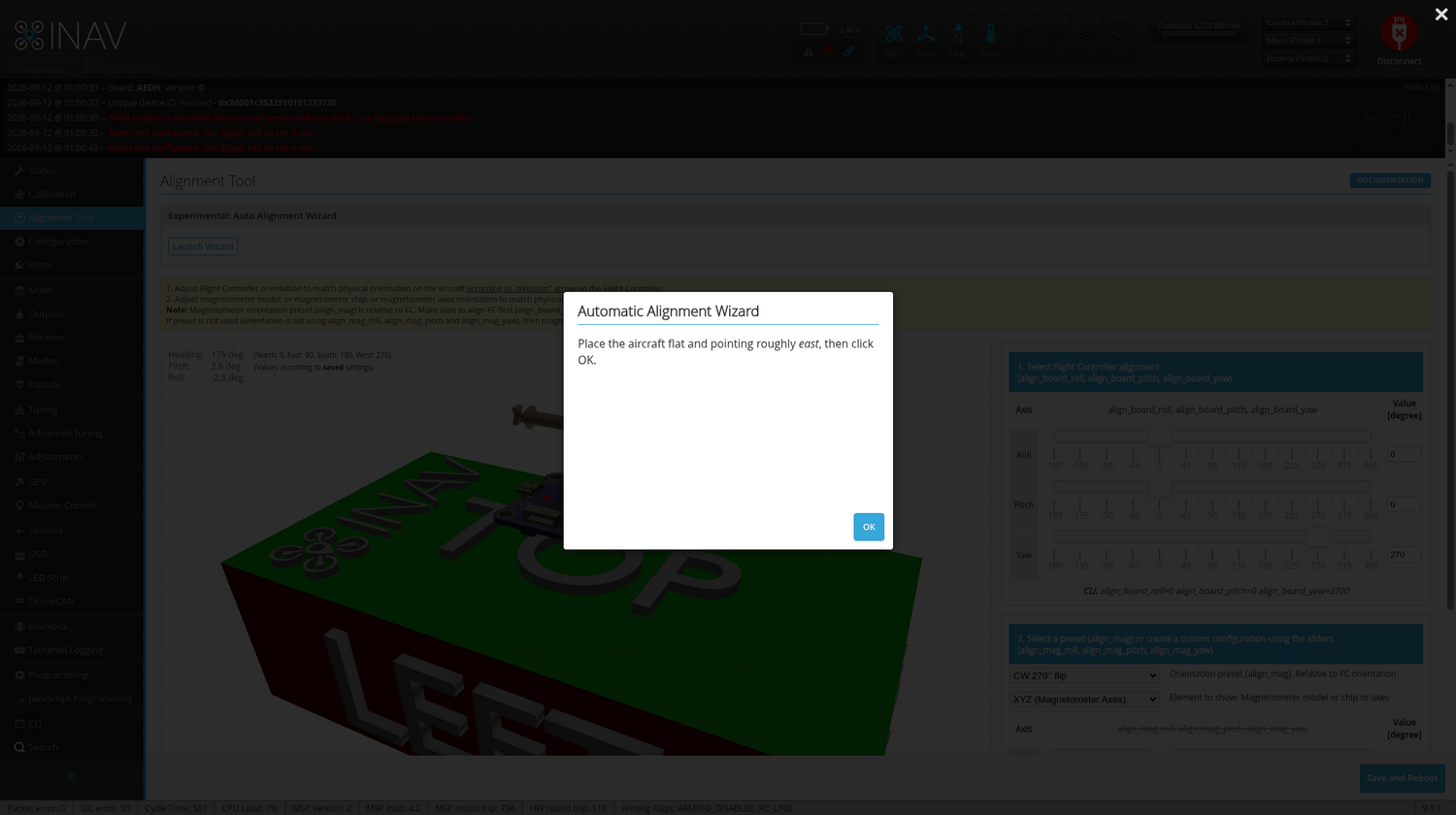
The wizard uses the heading change between the first and third readings to work out the compass's mounting orientation relative to the flight controller, and reports both the board alignment and the compass alignment it's about to save. Click Save to save both and reboot.
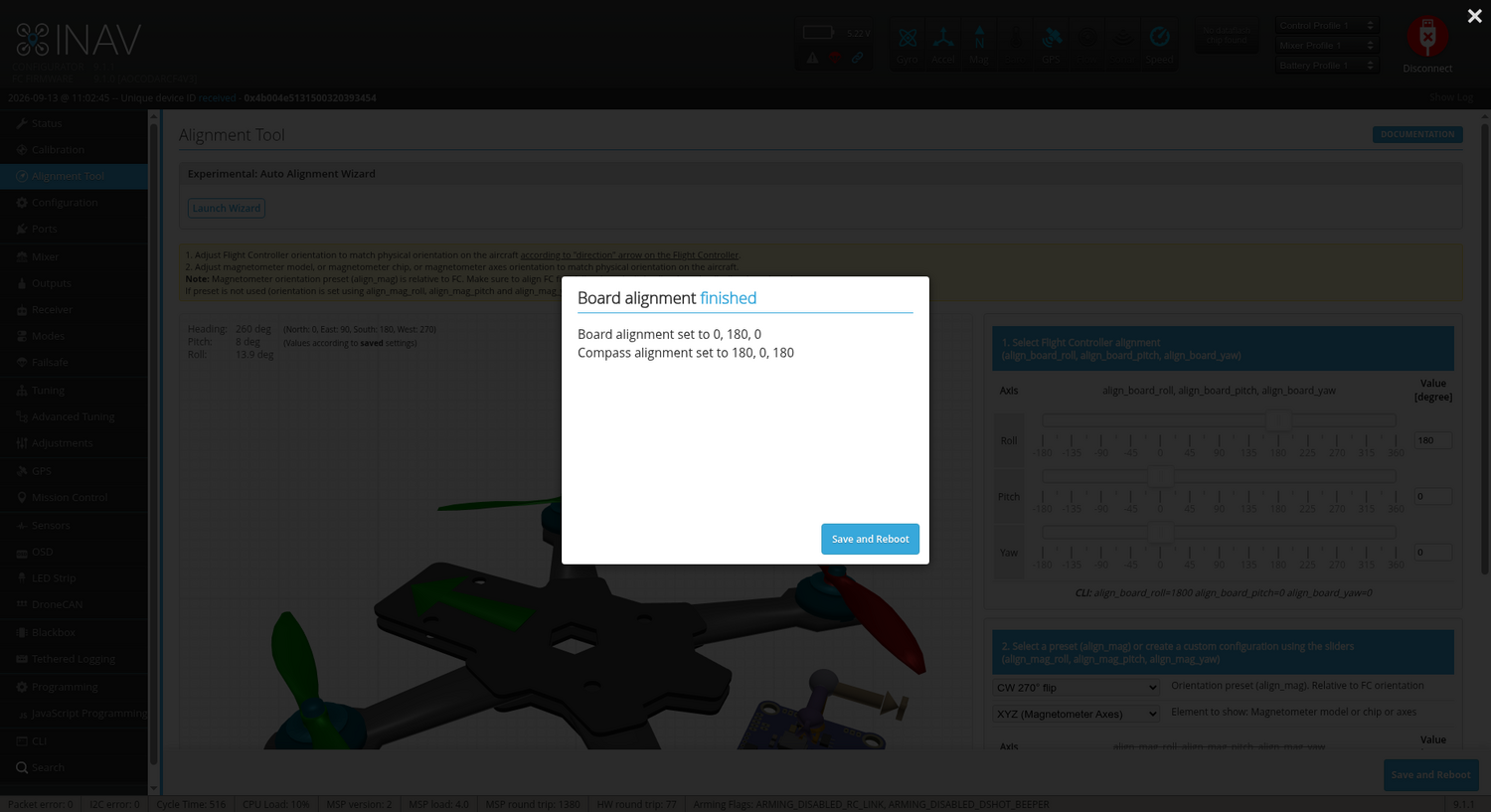
The compass must already be calibrated (via Calibrate Magnetometer on the Calibration tab) before this step will work — the wizard checks for this up front and tells you to calibrate first if it isn't.
Troubleshooting
The wizard validates each reading and will stop with an explanation if something doesn't look right:
- "Readings did not match a supported mount": the two accelerometer readings didn't match any of the 16 supported mounts. This can happen if the flight controller is mounted on its edge, if the board moved between readings, or if the nose wasn't raised close enough to 45 degrees. Use a flat or upside-down mount and try again, or set the board alignment manually on this tab.
- "The second reading looks too similar to the first": the nose-up tilt wasn't big enough for the wizard to distinguish it from the flat reading. Make sure the nose is raised by about 45 degrees, then try again.
- "The compass must be calibrated before its alignment can be determined": calibrate the magnetometer on the Calibration tab first, then re-run the wizard.
Manual Alignment
The rest of this tab lets you set board and compass alignment directly, without the wizard — useful for mounts the wizard can't resolve (e.g. tilted at a non-45° angle), or if you'd simply rather set the values by hand. See Manual Compass Orientation and Placement for that procedure.