Status Tab
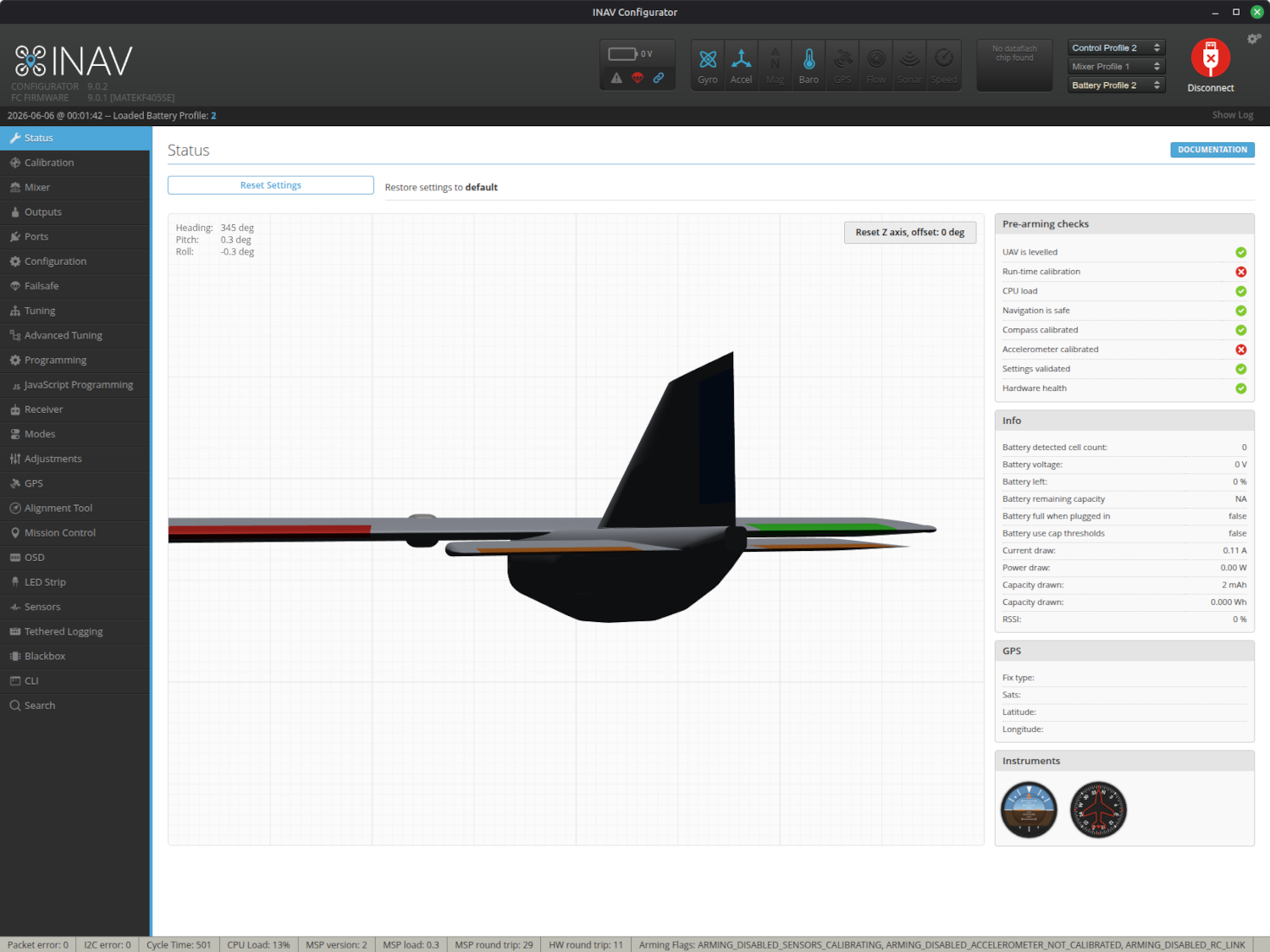
The Status Tab is the first screen you see once a connection is made. This tab has three main sections:
- Reset Settings
- Live 3D Graphic of your Aircraft
- Pre-Arming Checks
- Info (power stats & Rx RSSI)
- GPS (status)
Reset Settings
Pressing this button will reset the flight controller (FC) to default values. This is useful if you truly want to restart from scratch such as if you installed a FC into a different aircraft.
Live 3D Graphic of your Aircraft
As you move the flight controller (FC) the gyro and accelerometer values are being read by the FC where it applies the board orientation settings and then streams the intended aircraft orientation over to your computer where the Live 3D Graphic shows what it believes the movement of your aircraft should be. If your other settings are correct, then this graphic should match the movements of your aircraft. If the movements do not match, then calibration or board alignment need to be adjusted.
Pre-Arming Checks
The FC performs several checks before it will allow INAV to be Armed. This section shows the status of each pre-arm check. The all need to be green before the FC will arm. This is a valuable tool to help track down an issue keeping your FC from arming.
If Navigation is safe is the only red X, then GPS likely does not have a locations fix yet. It could also be that the GPS only receives power when the battery is plugged in.
Info
This list contains battery power statistics and RSSI for reference. It is not critical to setting up your FC.
GPS
This lets you know the status of the GPS lock - helpful when tracking down a red X on the Navigation is safe Pre-Arming Checks.