Outputs Tab
The Outputs tab allows you to adjust the parameters of each of the physical outputs of your aircraft. In the Mixer Tab, you indicate how the sticks on your transmitter are mapped to the multiple servos and motors. The Outputs Tab lets you set parameters for each individual servo and the communication protocol for your motors.
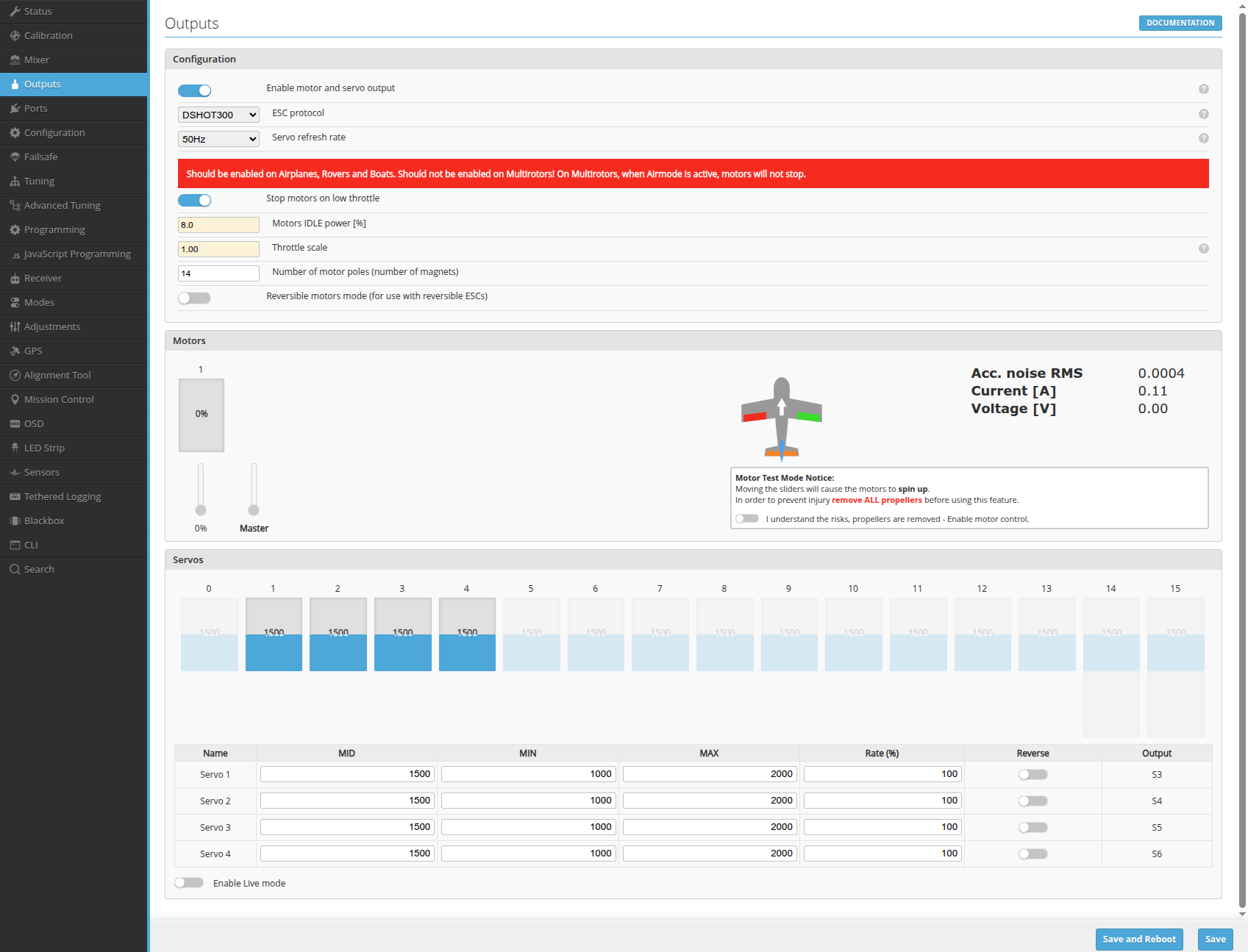
ESC Configuration
ESC Protocols
INAV support the following ESC protocols:
- "standard" PWM with 50-400Hz update rate
- OneShot125
- OneShot42
- Multishot
- Brushed motors
- DSHOT150, DSHOT300, DSHOT600
ESC protocol can be selected in Configurator in the dropdown menu. No special configuration is required.
Check the ESC documentation for the list of protocols that are supported.
- Stop motors on low throttle: when throttle is at the lowest position, the motor will be stopped.
- Motor IDLE Power (%): is the minimum PWM value the motor sees when running at its lowest setting.
Servo Configuration
By default, INAV uses 50Hz servo update rate. If you want to increase it, make sure that servos support higher update rates. Only high end digital servos are capable of handling 200Hz and above!
Servo Output Mapping
Not all outputs on a flight controller can be used for servo outputs. It is a hardware thing. Always check flight controller documentation.
While motors are usually ordered sequentially, here is no standard output layout for servos! Some boards might not be supporting servos in Multirotor configuration at all!
Modifying output mapping
INAV 7 introduced extra functionality that let you force only some outputs to be either MOTORS or SERVOS, with some restrictions dictated by the hardware.
The main restrictions is that outputs are associated with timers, which can be shared between multiple outputs and two outputs on the same timer need to have the same function.
The easiest way to modify outputs, is to use the Mixer tab in the Configurator, as it will clearly show you which timer is used by all outputs, but you can also use timer_output_mode on the cli.
Servo Outputs
Servos can be configured from the graphical user interface's Outputs tab.
- MID: middle/neutral point of the servo
- MIN: the minimum value that can be sent to the servo is MIN * Rate
- MAX: the maximum value that can be sent to the servo is MAX * Rate
- Rate: servo command = servo rate * mixer output
- Reverse: if enabled the servo output is reversed
CLI commands to configure servos:
The servo command is used to list or modify servo's configuration. To list the current servo's configuration run the servo command without parameters.
To change the configuration of a servo use the servo command with the following syntax: servo <n> <min> <max> <mid> <rate>. <n> is representing the index of the servo output defined by a servo mixer (See (mixer documentation)[https://github.com/iNavFlight/inav/blob/master/docs/Mixer.md]). The other parameters must be positive integers apart from the rate wich valid range is [-125, 125].
Servo filtering
A low-pass filter can be enabled for the servos. It may be useful for avoiding structural modes in the airframe, for example.
Filter Configuration
Currently, it can only be configured via the CLI:
Use set servo_lpf_hz=20 to enable filtering. This will set servo low pass filter to 20Hz.
Filter Tuning
One method for tuning the filter cutoff is as follows:
-
Ensure your vehicle can move at least somewhat freely in the troublesome axis. For example, if you are having yaw oscillations on a tricopter, ensure that the copter is supported in a way that allows it to rotate left and right to at least some degree. Suspension near the CG is ideal. Alternatively, you can just fly the vehicle and trigger the problematic condition you are trying to eliminate, although tuning will be more tedious.
-
Tap the vehicle at its end in the axis under evaluation. Directly commanding the servo in question to move may also be used. In the tricopter example, tap the end of the tail boom from the side, or command a yaw using your transmitter.
-
If your vehicle oscillates for several seconds or even continues oscillating indefinitely, then the filter cutoff frequency should be reduced. Reduce the value of
servo_lowpass_freqby half its current value and repeat the previous step. -
If the oscillations are dampened within roughly a second or are no longer present, then you are done. Be sure to run
save.