Mission Control Tab
The Mission Control Tab is where autonomous missions and other related features can be configured. The features that can be accessed and set in this tab are:
For more information, please see the respective pages on how to use those features. For a quick overview of all the buttons, please see the Overview below.
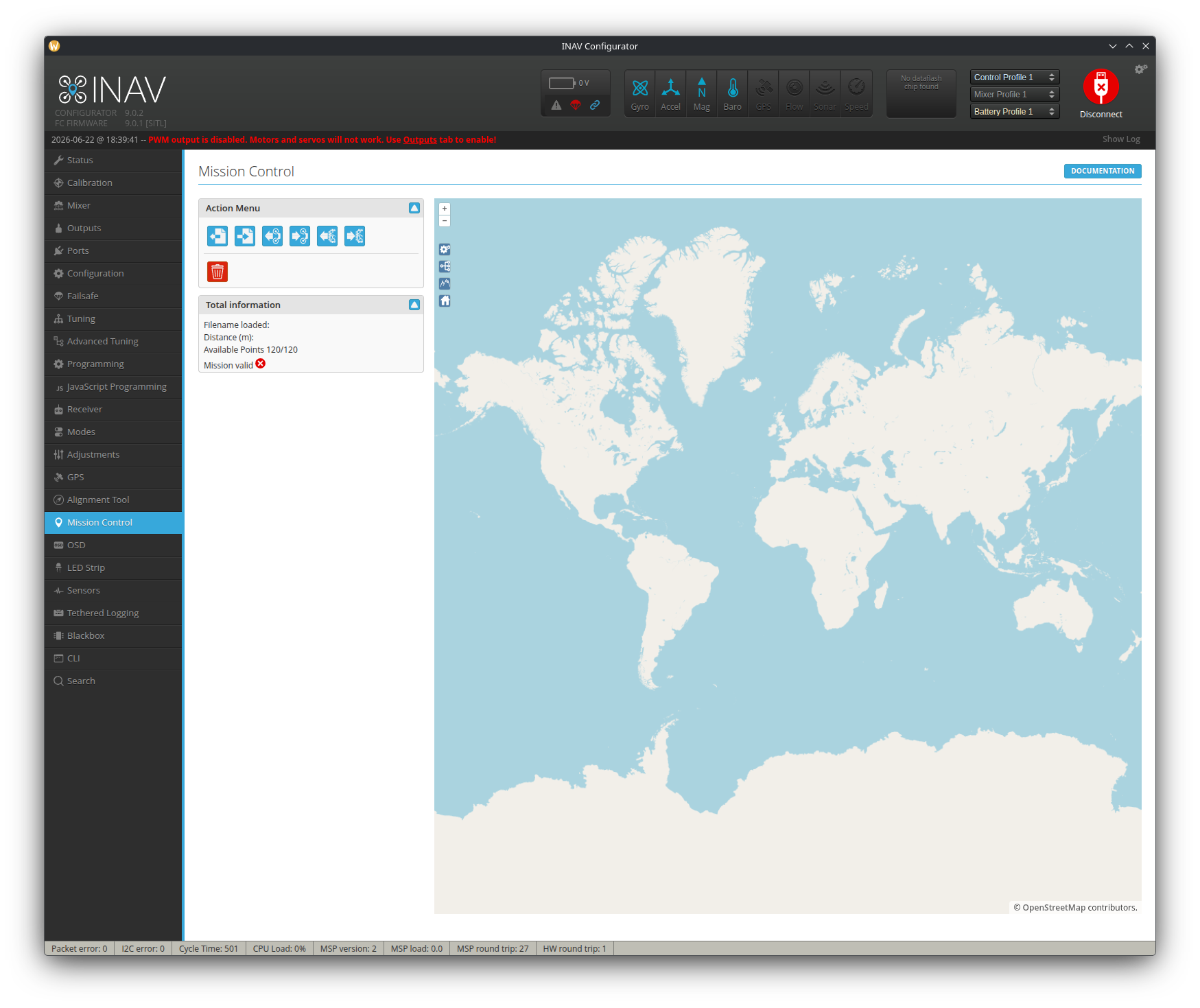
Overview
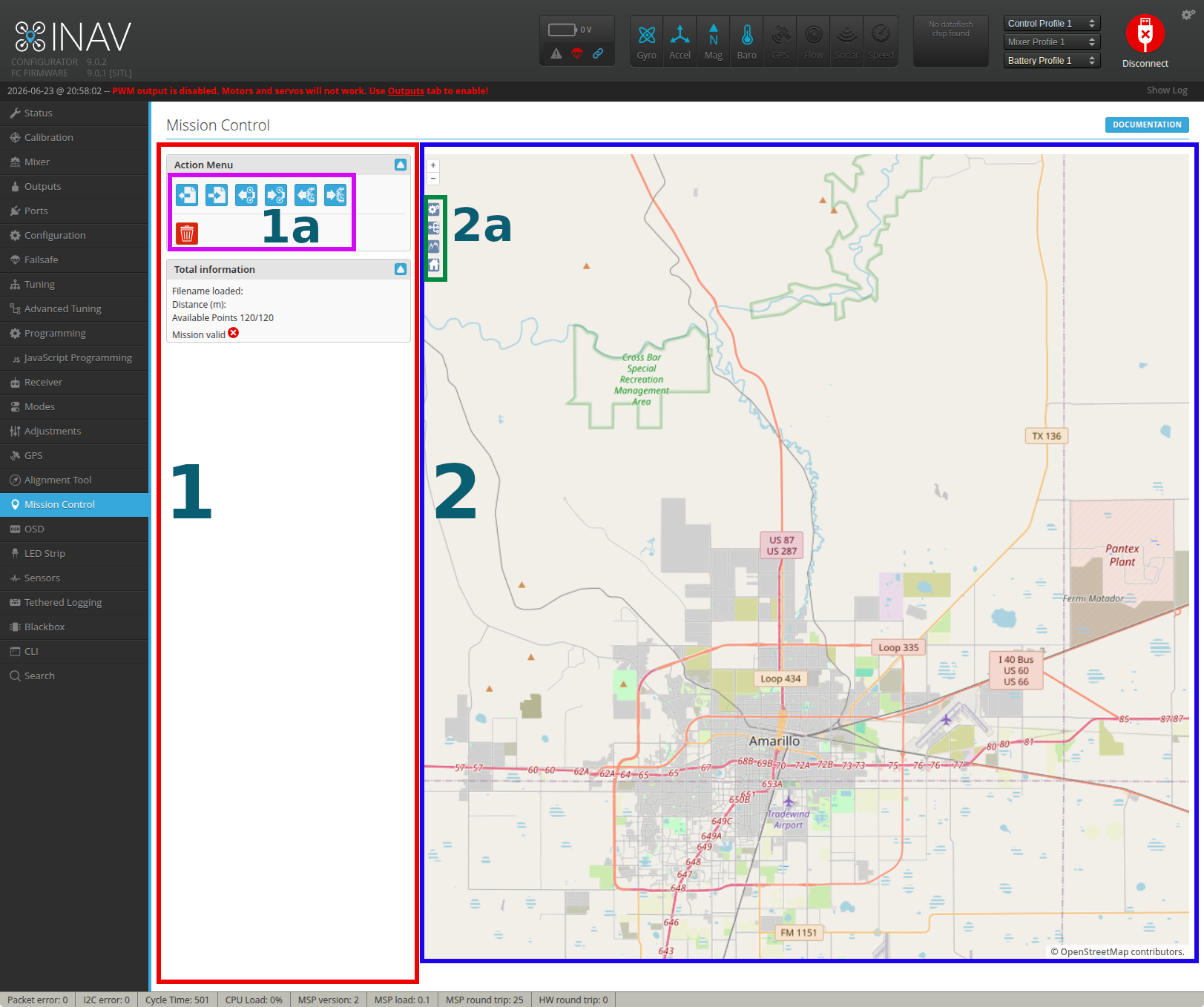
The Mission Control screen is divided into two main sections as pictured above. Within each section are buttons that are used to create, edit, and save waypoints, safehomes, and geozones. The buttons in each section are described below.
Section 1 - Action Menu
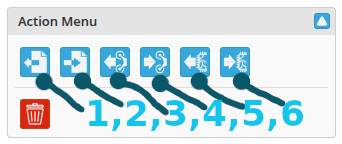
The column of space in section 1 is where all the editing happens. The buttons at the top are mainly used for reading and saving data to the FC. There are from left to right:
- Load Mission File: Opens a file browser window to read a
.missionfile containing saved mission data. - Write Mission File: Save the created mission and its information to disk to a
.missionfile. - Load Mission From FC: Reads the FC's volatile memory for saved mission data and loads it onto Mission Control.
- Save Mission to FC: Saves the mission data to the FC's volatile memory. This does not persist on reboots.
- Load Eeprom Mission: Loads mission data that has been saved to the eeprom memory. This persists across reboots.
- Save Eeprom Mission: Saves mission data to persistent eeprom memory that remains across reboots.
The red trashcan clears the map of all points. It will not clear the Eeprom memory.
Section 2 - Map and Points
Not all buttons are shown by default. Geozones will not appear unless they are enabled. Please reference the Mission Control section for more details on each features' usage.

From top to bottom:
- MP Settings: Opens the default settings window to the left where waypoint navigation settings can be modified. These affect the settings for newly created waypoints.
- MP Multi Missions: Opens the window to configure multiple waypoint missions.
- MP Elevation: Opens an elevation profile graph below the map to aid in planning waypoint missions.
- MP Safehomes: Opens the safehomes window to configure and set safehome points.