Failsafe Tab
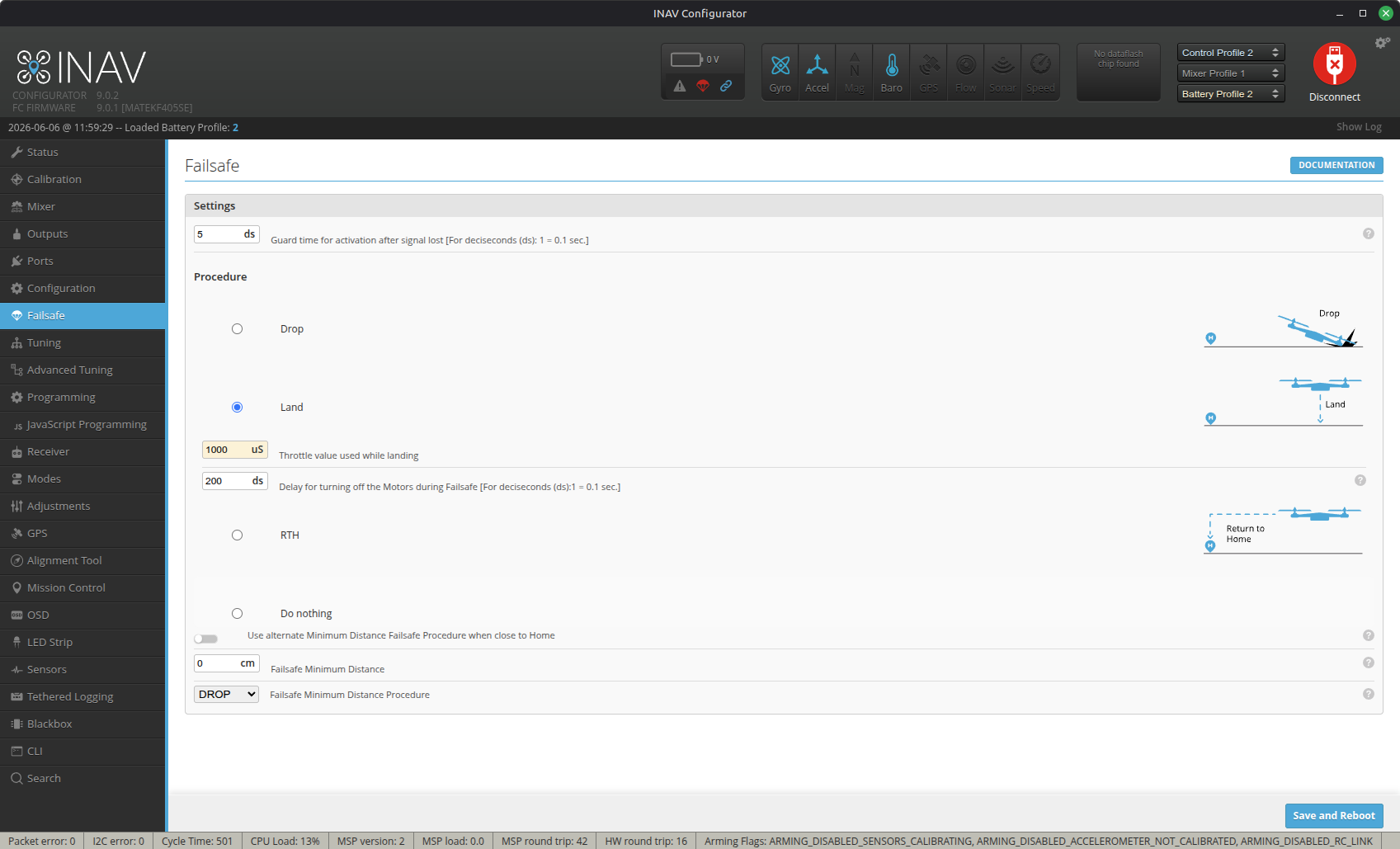
The Failsafe tab is used to enable failsafe behavior when a failsafe state is active by way of receiver loss.
Setting up Failsafe for RTH
You can assign an RC mode switch to simulate how a FAILSAFE condition will respond, if the RX signal is actually lost in flight. FAILSAFE mode will return the aircraft to the home location. But it should not be used in place of RTH mode for manual activation. Functionally, FAILSAFE mode does not work the same as RTH mode in all cases. So bear in mind, that while the FAILSAFE mode is activated, the FC will behave as if the radio link is lost. This means you will not be able to Disarm. To regain control, either:
- Cancel the FAILSAFE mode with your assigned RC switch.
- Move the roll or pitch stick. failsafe_stick_threshold
Configuration of INAV
Go to the Configurator Failsafe tab, and enable RTH as Stage 2 failsafe.
For fixed wing set failsafe_throttle_low_delay = 0 or else it will disarm the airplane in flight when Failsafe triggers, if you have the throttle low for the default time period.
The behavior of RTH can also be configured in Navigation: RTH mode
Loss of GNSS during Failsafe RTH will result in an emergency landing. So make sure the following are set to avoid surprises:
- nav_emerg_landing_speed - default is 5 m/s. Alter for a fixed wing.
- failsafe_off_delay - default will disarm after 20s. Increase or decrease to suit the estimated time required, for the general altitude you fly at.
- failsafe_throttle - The default setting of 1000uS will cause a copter to revert to the DROP procedure if not increased to slightly below hover throttle.